Joining a guild in Where Winds Meet is easy. Leaving one isn’t, at least not at first. The option is buried behind a few menus, so you might find it hard to see the option to leave a guild. If you joined by mistake, want to enter a better crew, or prefer to go solo, here’s how to leave a Where Winds Meet guild, what happens after you do, and how to disband one you created yourself.
How Do You Leave a Guild in Where Winds Meet
To quit your current guild, follow these steps:
- Open the main menu (press ESC on PC and the Options button on PS5).
- Select Guild from the social icons at the bottom.
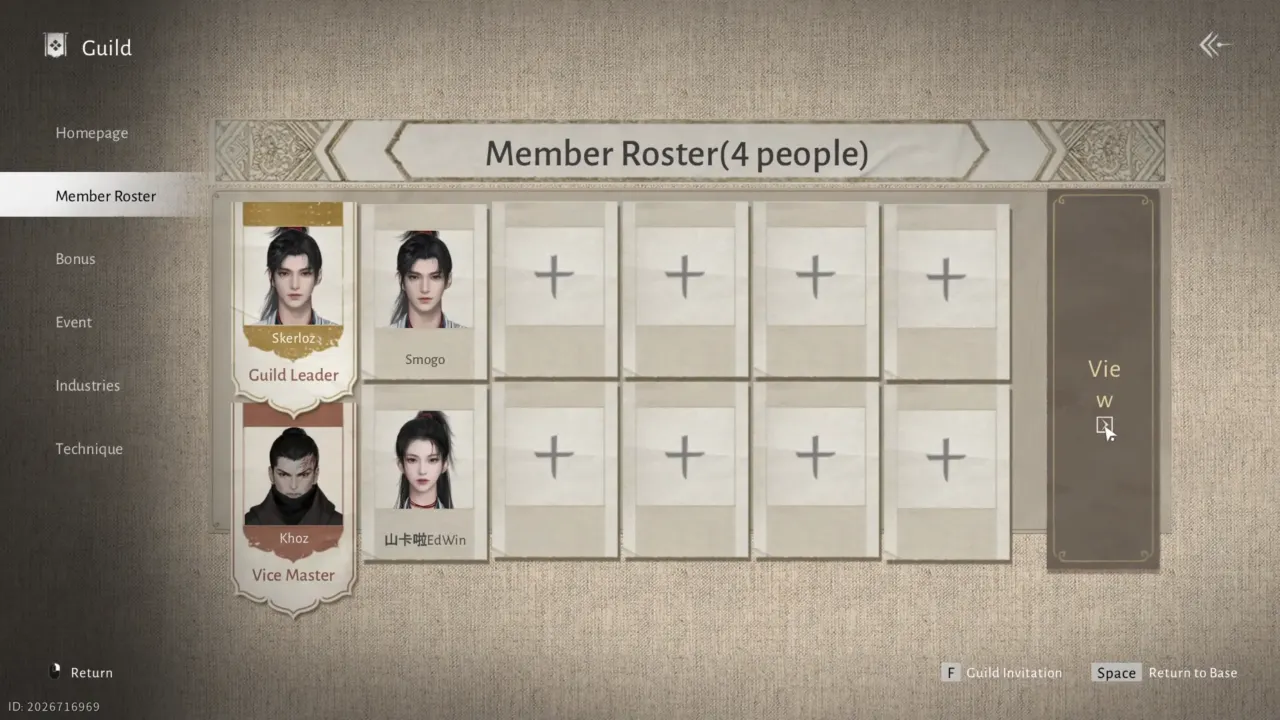
- Go to Member Roster from the left menu.
- On the right panel, click View to open the guilds list.
- On PC: Click View
- On PS5: Press R3 (right stick)
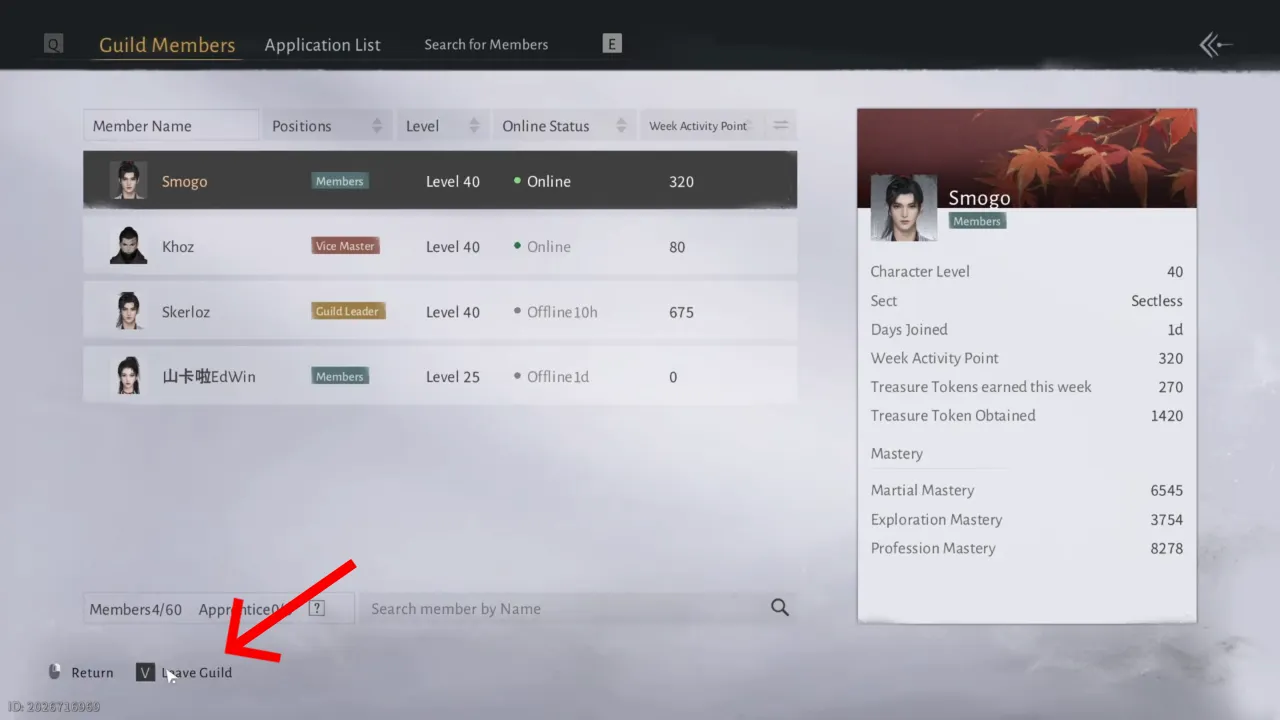
- Select the guild and click Leave Guild (V) at the bottom left corner of the screen.
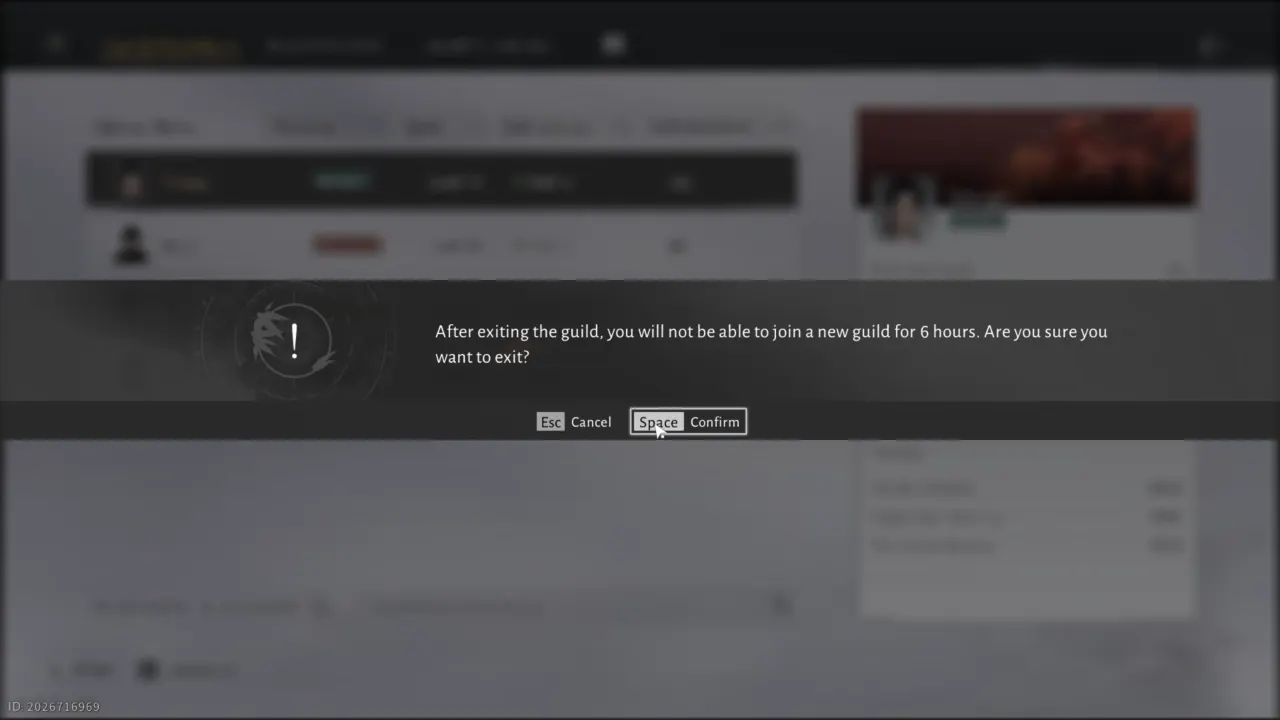
- Choose Confirm in the pop-up to complete the process.
Once you have left the current guild, you cannot join or create another guild for 6 hours (real-time). So, it’s better to leave at the session’s end rather than in the middle, particularly if you plan to join a new guild right after that.
So, what do you keep? All the earned Guild Treasure Tokens, personal progress, and character unlocks will remain, even if you join a new one. Guild techniques depend on your current guild’s level, so these will change when you switch. But once the season ends, guild progress resets for everyone, no matter when you left. Your character will remain intact, but the fresh group will not have all the same perks right away.
How to Disband a Guild in Where Winds Meet
If you’re the guild leader in Where Winds Meet and want to disband it, the process is similar but slightly different. Here’s how you can do that:
- Open the Guild menu and go to Member Roster.
- Select View on the right to open the guild’s list.
- At the bottom, press and hold the “Disband Guild” key.
- Confirm the choice when prompted.
Disbanding a guild permanently deletes it, removes all its members, and you will lost all the treasury.
Where Winds Meet guilds need investment for maintenance that increases as the dojo’s level increases. If a group is inactive and members don’t contribute over time, the game will automatically disband it. It often happens to small crews with inactive leaders, accidentally created ones, and groups with no guild activities. So every guild requires a few members who must remain busy performing related activities to keep the group alive.